Navigators AI School: We test Synthesia
Have you been thinking about trying AI, but don't know where to start? Don't worry, in our AI School we explore and evaluate the industry's leading AI tools. In today's article, we're testing Synthesia, a program that lets you create videos with live AI avatars.
To make it easier for you as a marketer to navigate the AI jungle, we have developed Navigators AI School. A series of articles where we examine the industry's leading AI tools. How do they work? What should they be used for? And above all, are they worth learning?
In previous AI School episodes, we've taken a closer look at the copywriting program Jasper AI, the image program Midjourney and the design program Flair AI. This time it's time to test the video program Synthesia.
This is Synthesia
Synthesia is a video program that uses AI to let you create presentations with live AI avatars. The program works like an advanced PowerPoint tool, where you can have your script read and performed by an AI-generated person. Founded in the UK in 2017, Synthesia is now used by thousands of companies including Zoom, Accenture and Reuters. Synthesia gained particular attention in 2021 when it created an AI avatar for Argentinian footballer Lionel Messi in a campaign for crisps company Lays.
In this article, our copywriters Klara and Johan test the Synthesia program and share their impressions. Stay tuned!
Our first impression
When we visit synthesia.io, we are greeted by a white page with blue and black text. Next to it is a video with an AI avatar explaining the program's features. Scrolling further down, we find reviews from well-known companies using the program. They tell us that the program is perfect for e-learning, sales and customer service, among others.
Overall, Synthesia gives a professional impression and the program feels serious. Unlike some other programs we have previously tested in the AI school, it really feels like this program has weight.
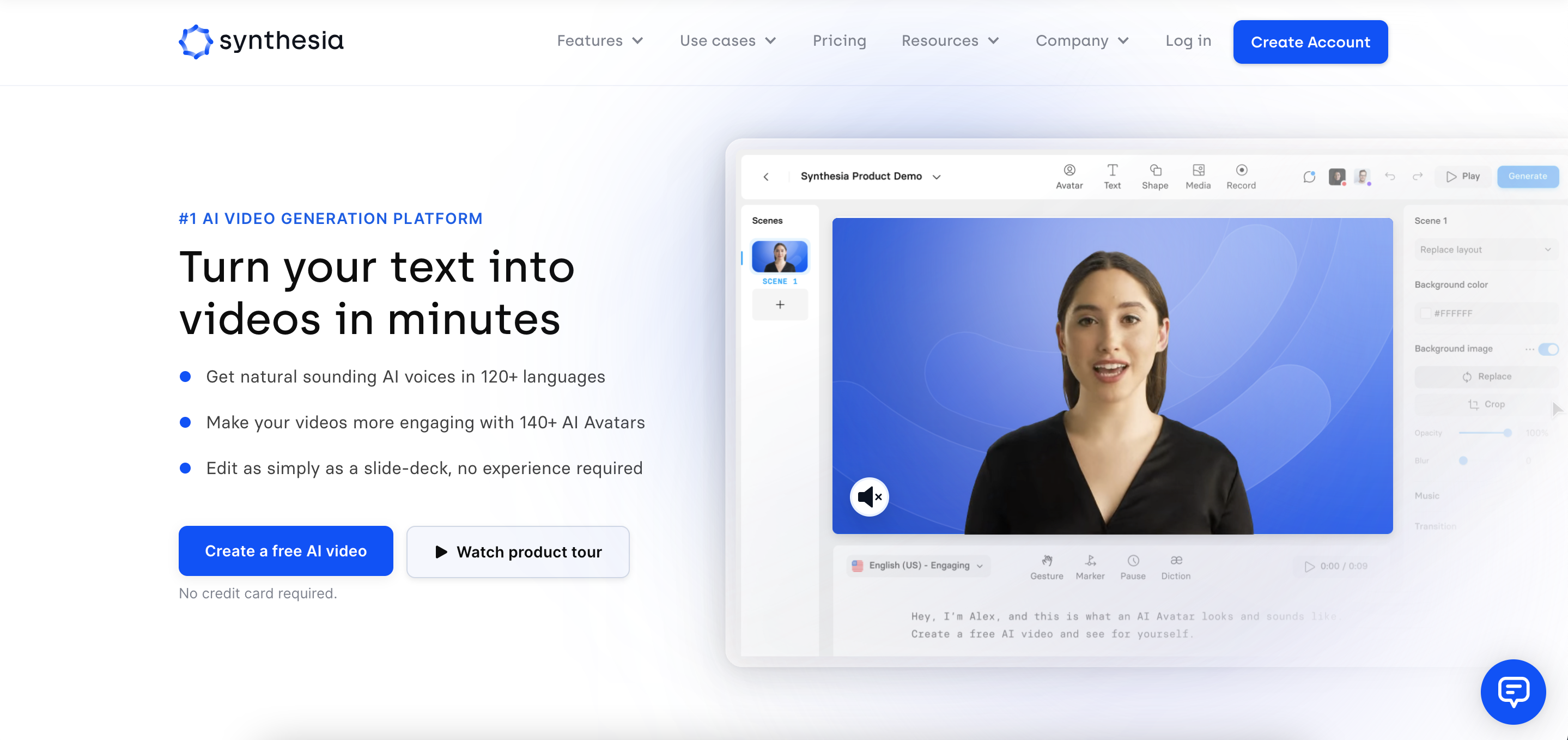
Start-up and registration
Synthesia does not offer a free version or trial period, so if you want to test the program you will need to take out a subscription.
We click on "create account now" and sign up for a subscription that costs about 250 SEK a month. Registration goes smoothly and within a few minutes we are in the program. When we enter the program, we are greeted by some simple instructions, of course mediated by an AI avatar. Most of it seems to be "hands-on" and we understand pretty quickly how to get started.
Test 1: Pitch for Navigator
We start by clicking the "new video" button in the right-hand corner to get started. Here we are presented with several choices: to start from scratch with a blank video, to generate a video using AI, or to import a previous PowerPoint presentation. Since it's the AI feature we want to test, we choose to generate a video using AI.
We are presented with a box with different choices. We are asked to choose a design template and fill in the topic and target audience. We decide to make a presentation about the Navigator and fill in the following:
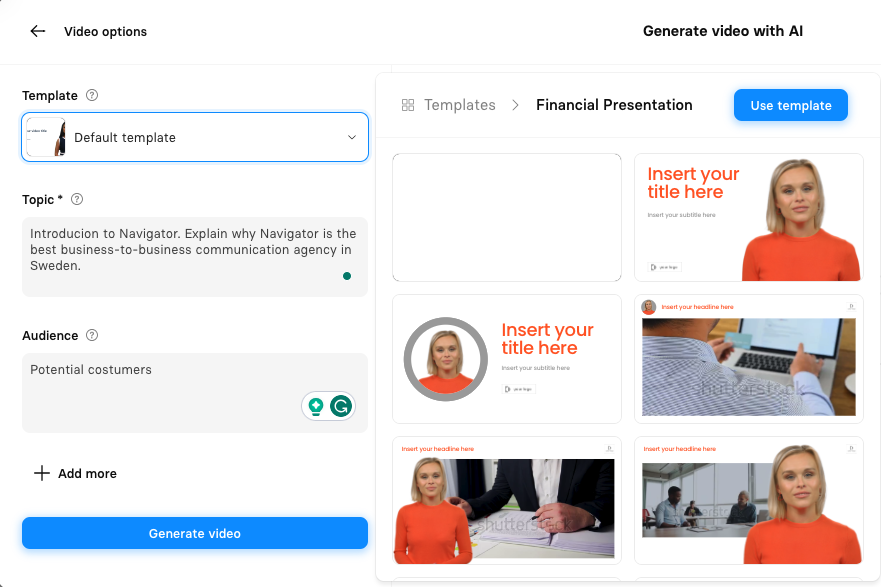
We click on "generate" and after a few minutes we end up in a presentation mode. Here, the slides are already created and underneath is a pre-written script. The presentation consists of five slides with an associated AI avatar reading the script. We go through the slides and the script, and think the content looks good overall. Without having given the program much information, it has still managed to create a draft of a presentation that feels quite okay.

We go into edit mode and make some minor changes. Among other things, we upload the Navigator logo and add it to all slides, while also updating some pieces of text. In this mode, we also have the option to change the voice of the avatar. The preset voice speaks American English, but we feel that British English is even more suitable for this presentation. We search the voice library, which contains hundreds of voices in a bunch of different languages, and select "English (GB) Soft".
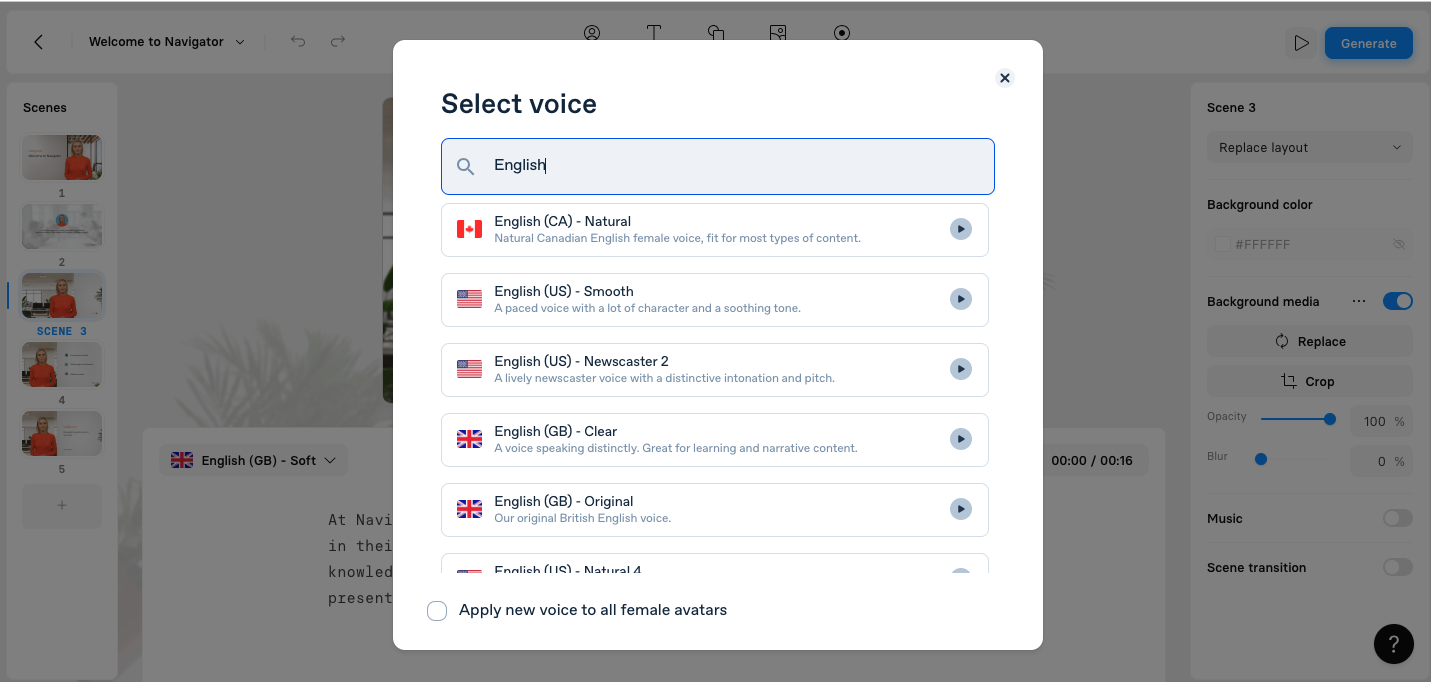
The voice feels good and fits well with the avatar. We make some minor adjustments before we feel ready to save the presentation. We click "generate" and after 10 minutes a finished movie has landed in our inbox:
We look through the finished result. Although it is obvious that the presentation is made with the help of AI, we still think it is quite okay. Considering the short time we spent creating and editing the presentation, the result is acceptable.
Test 2: Presentation of the cinnamon bun
After creating a company presentation, we feel like challenging the program with a more creative idea. Given that it was recently Cinnamon Bun Day, we decide to create a Swedish presentation that is all about cinnamon buns. We open a new AI project and fill in the following prompt:

We click on "generate" and after a few minutes we are in presentation mode. The program has created a Swedish script about the history of the cinnamon bun. We go through the script and most of it seems right. The Swedish is okay and we find it easy to understand what is written.
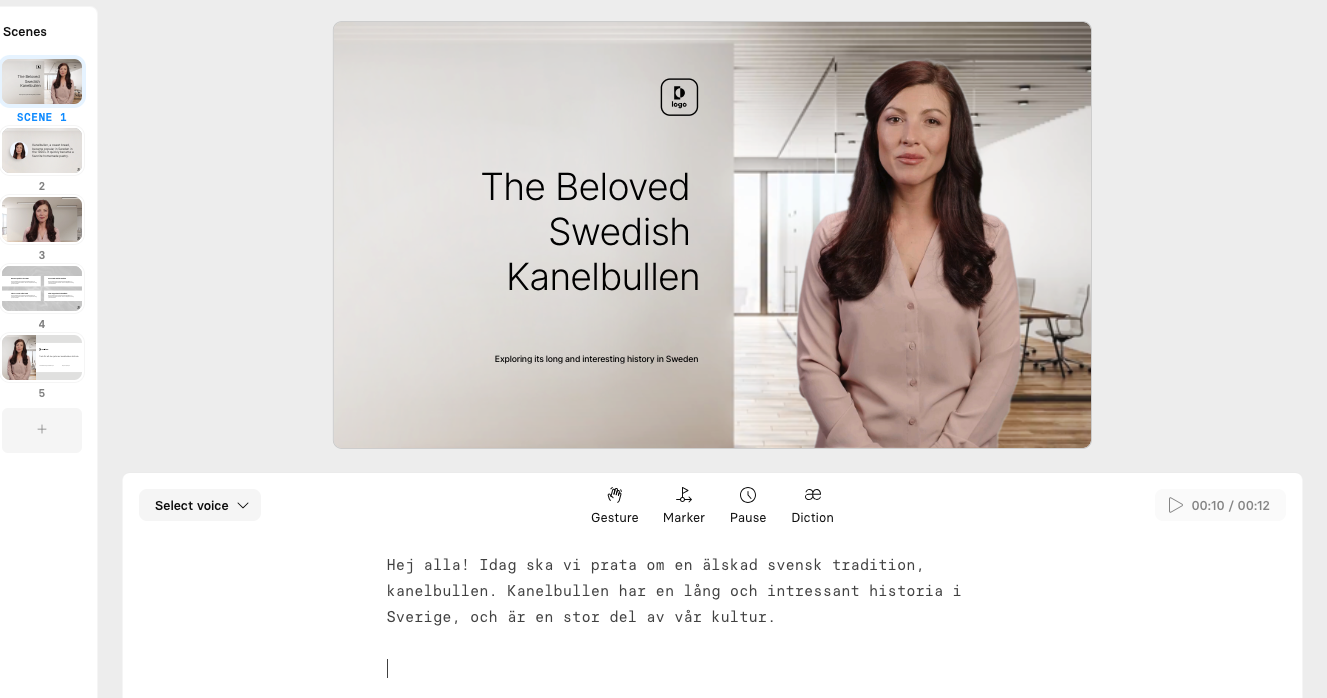
Unfortunately, the program does not seem to have understood that we want Swedish text in the slides as well, because here everything is in English. We start by going through each slide and translating the text. We also add Navigator's logo to all slides and here we are bothered that it is not possible to add it automatically. Instead, we have to manually go into each slide and add it one by one.
We also decide to change the AI avatar, as the default one feels too business-like. In the avatar library, there are almost 100 different people to choose from and it is also possible, for a cost of SEK 11,000 a year, to upload and create your own avatar. After a while of searching, we find an avatar that fits the movie. We choose her and press "change all."
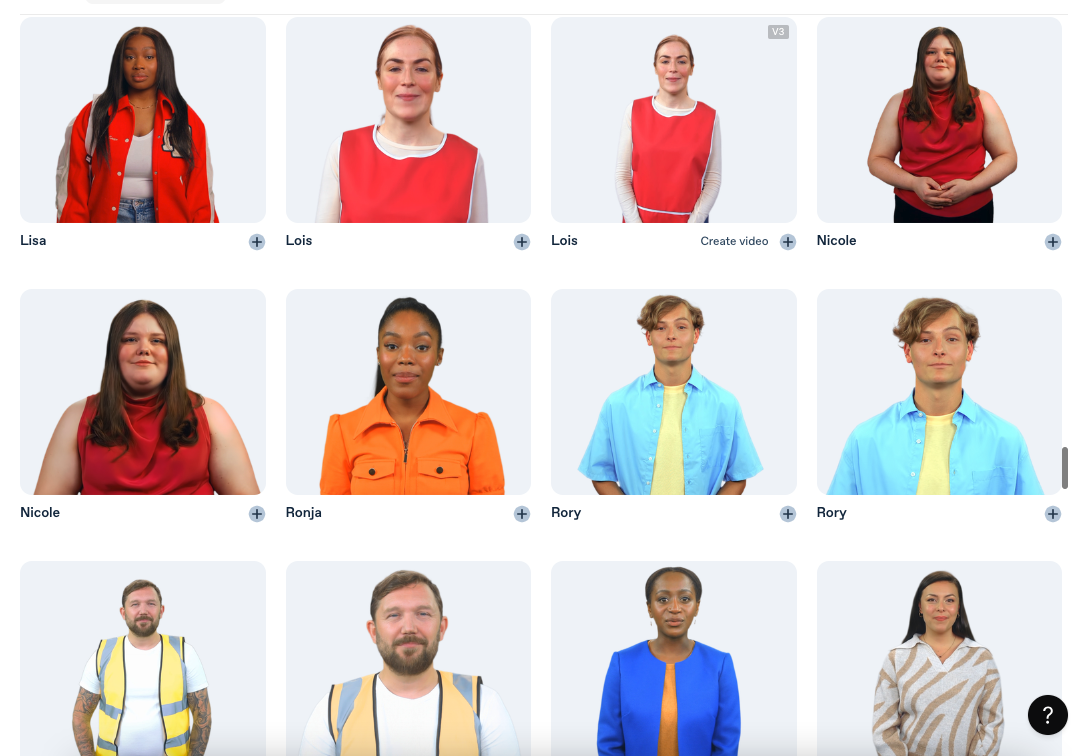
The avatar now appears on all slides and we also take the opportunity to change her voice. Although Swedish is not a very big language, there are five different Swedish female voices. We choose "Swedish-natural" and apply it to all slides.
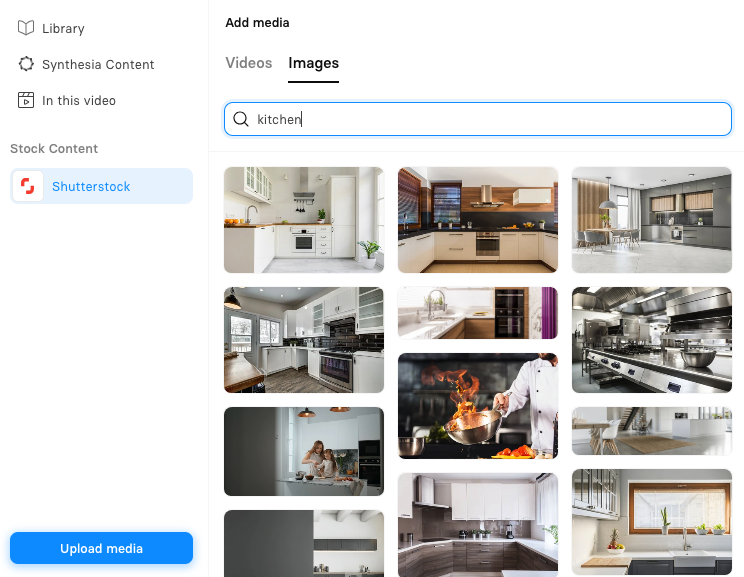
To make the presentation feel even more business-like, we also choose to change the background on several of the slides. Via the program we reach Shutterstock and here we can search for a large number of images and videos. We find some pictures of a kitchen that we think fits and also add some pictures of cinnamon buns.
The presentation is getting ready and we click on "generate":
We go through the movie. The Swedish is somewhat choppy but still quite okay, we both have heard much worse Swedish AI voices. However, we notice that the avatar is designed for English as the lip movements don't match the voice as well as in the previous movie. Other than that, the presentation feels well done and considering the little time we spent on it, it still feels quite professional.
Reputation
The program feels professional and serious. There are several different templates, which makes it easy to get started, but making the presentations more personal requires some clicks that are not always completely logical. We get the best results if we work in English. It is noticeable that smaller languages, such as Swedish, have not come as far in their development.
However, the scripting function feels quite sharp, and we were surprised at how well the presentations were actually structured. Unfortunately, we would have liked to be able to set the length of them, as both our presentations were only five slides each.
Benefits and advantages
- Many different templates that are easy to modify
- Several different Swedish voices
- Access to Shutterstock
- Loads quickly
Disadvantages
- Not possible to add your own font
- Not very intuitive
- Costs extra to create your own avatar
- Lots of clicking and steps
Final rating
To create exciting, more personalized presentations, we think the program serves its purpose. We believe that the program works best for those who create a lot of instructions, guides or other types of e-learning. If you choose to upload and create your own avatar, we also think that the program can work for making meeting summaries or why not a Christmas greeting?
Rating: 3 out of 5
Want to learn more about AI?
Read the other parts of our AI school here.


Related posts

Personality is hard currency in an AI future
Artificial Intelligence is on everyone's lips and hardly a day goes by without us hearing about new achievements, or setbacks, for the technology. Recently, many people have been both surprised and outraged by Meta's initiative to launch AI accounts on its platforms. Accounts that look and act like real people, but are just digital ghosts.

With HubSpot to infinity and beyond
Are you already an experienced Hubspot user, or are you curious about what the platform can do for your organization? If so, you've come to the right place. HubSpot is a living, breathing organism with tentacles that now reach almost every digital touchpoint imaginable. In this blog post, we'll take a closer look at some of the valuable new features the tool offers.

5 principles for B2B growth
Brand-building or sales-driving communication - what really drives growth? We often hear companies questioning the value of investing in brand-building communication. Many prioritize sales-driving activities that generate short-term leads and quick deals rather than building long-term value. But what is it that creates the best growth over time? We set out to find the answer to the question that has divided marketers throughout history.